Your Microsoft Technology Development and Consulting Experts - Operating since 2000

Australia WideSydney, NSWMelbourne, VicBrisbane, QldPerth, WAAdelaide, SACanberra, ACTNorthern Rivers, NSWWollongong, NSWRichmond, VicDarwin, NT
Your Microsoft Technology Development and Consulting Experts - Operating since 2000


Author: Scott Robinson
Reading time: 12min
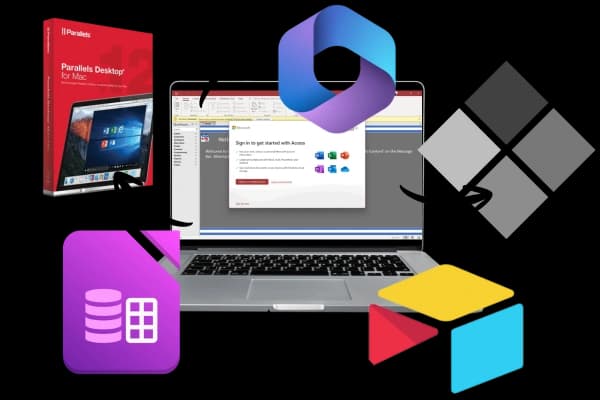
You're a Mac user who just discovered your new client uses Microsoft Access? Or perhaps you've joined a company where critical business systems run on Access databases, but you like working on a Mac. Maybe your team is split on Windows, others on Mac, and suddenly Access compatibility has become a real problem. The inventory tracking system, customer database, or order management tool you need to access is all built with Access.
This guide examines five genuine solutions for running Access on Mac, from virtualisation to cloud hosting to complete migration. I'll cover what works, what doesn't, and most importantly, which option makes sense for your specific situation.
Access was built on Windows-specific technologies from day one. It relies on the Jet Database Engine (later replaced by ACE), Windows Registry for configuration, COM objects for extensibility, and VBA macros that depend on Windows libraries. Porting this to macOS wouldn't be a simple recompile, it would require rebuilding the application from scratch.
Microsoft's database strategy has shifted. They're pushing organisations toward cloud solutions like Power Apps, Dataverse, and Azure SQL, rather than desktop databases. Investing resources to port an application to a competitors platform (macOS) doesn't align with their cloud-first roadmap nor their business priorities.
While consumer Mac adoption has skyrocketed, enterprise Windows deployment still dominates. This is especially true in industries where Access is commonly used (manufacturing, logistics, government). The business case for Mac Access development is weak.
Microsoft has confirmed multiple times through official support channels that Access will remain Windows-only. This isn't changing. So if you need Access on a Mac, you need a workaround.
- Microsoft Support Documentation"Microsoft Access is not available for Microsoft 365 Apps for Enterprise for Mac. It is only available for Windows operating systems."
Microsoft Access Runtime is a free version of Access that allows you to run existing Access databases without purchasing a Microsoft 365 subscription or standalone Access licence.
Access Runtime includes the main functionality high-level end users need, such as viewing and editing data, running queries, using forms and reports, and executing macros. The limitations? You cannot modify the database design (tables, queries, forms, or reports).
Since Access Runtime is still a Windows application, you'll need to use it within one of the Windows environments described in the solutions below (Parallels, Boot Camp, or cloud hosting). However, instead of paying for Microsoft 365 with Access or a standalone Access licence (typically $239/year or $369 one-time), you can download Runtime for free from Microsoft's website.

Best for - Individual users and small teams needing full Access functionality
Cost - ~$150-$225/year + Windows license (~$40-$200) + Access license
Performance? Near-native speed, especially on Apple Silicon Macs
Parallels Desktop is virtualisation software that runs Windows inside macOS. Unlike Boot Camp (which requires rebooting), Parallels lets you run Windows applications alongside Mac apps simultaneously. You can copy-paste between operating systems, drag files between Windows and Mac, and even add Windows applications to your Mac dock.
For Access users, this means you get the complete Windows Access experience, including VBA macros, ODBC connections, form design, and report generation, all whilst staying in macOS.
Parallels has been optimised heavily for Apple Silicon (M1, M2, M3 chips). Access databases with thousands of records, complex forms, and VBA automation run smoothly on modern Macs with 16GB+ RAM. The Windows 11 ARM edition includes x86/x64 emulation, so even if Access isn't ARM-native, it runs reliably through this translation layer.
However, performance does depend on your Mac's specs. Older Intel Macs may struggle with large databases or heavy VBA processing. Apple Silicon Macs handle virtualisation remarkably well, often matching native Windows laptop performance.
| Aspect | Details |
|---|---|
| Advantages | ✔ Full Access functionality (forms, reports, VBA, macros) ✔ No rebooting required - run Access alongside Mac apps ✔ Seamless file sharing between Windows and Mac ✔ Works on Apple Silicon Macs (M1, M2, M3) ✔ Regularly updated to support latest macOS and Windows versions ✔ Can run other Windows-only software too (Publisher, specialised tools) |
| Disadvantages | ❌ Annual subscription cost + Windows + Access licenses ❌ Requires 16GB+ RAM for smooth performance ❌ Consumes significant disk space (30-50GB for Windows VM) ❌ Battery drain on laptops due to running two OSes simultaneously ❌ Network database performance may lag compared to native Windows |
- SelectHub Software Reviews"Parallels Desktop is known for its user-friendly interface and strong performance, making it a valuable tool for developers, IT professionals, and users who need to run software exclusive to other OSs while still using their Mac."
Best for - Teams, remote workers, or users needing multi-device access
Cost - ~$38-$113/user/month (varies by provider)
Performance? Depends on internet speed, but often excellent for typical use
Rather than running Access on your Mac, you connect to a Windows server in the cloud where Access is installed. You interact with Access through a remote desktop connection, either via a web browser or dedicated remote desktop app. The Access application actually runs on a server in a data center; your Mac is just displaying the interface.
If multiple team members need Access, especially if some use Mac, some use Windows, and some work remotely. Cloud hosting eliminates compatibility issues, everyone accesses the same centralised database through their browser or remote desktop client, regardless of the device.
Cloud hosting also handles backups, security updates, and server maintenance. Your IT burden decreases significantly compared to managing local installations.
| Aspect | Details |
|---|---|
| Advantages | ✔ Access from any device (Mac, Windows, iPad, even Chromebook) ✔ No local software installation required ✔ Automatic backups and disaster recovery included ✔ Scales easily for teams (add/remove users quickly) ✔ IT maintenance handled by provider (updates, security patches) ✔ Works on older/lower-spec Macs (processing happens server-side) |
| Disadvantages | ❌ Monthly per-user costs add up quickly for larger teams ❌ Requires stable internet connection (unusable offline) ❌ Potential latency issues depending on server location and connection quality ❌ Data stored externally (compliance considerations for some industries) ❌ Less responsive than local applications (input lag noticeable on slower connections) |
When hosting business data in the cloud, security becomes paramount. Reputable providers offer encryption in transit and at rest, multi-factor authentication, and compliance certifications (ISO 27001, SOC 2, HIPAA if required).
However, some industries or organisations have policies against cloud data storage. If your Access database contains sensitive information governed by strict data residency requirements, cloud hosting may not be permissible.
For a team of 5 users at $75/user/month, annual cost reaches $4,500. Compare this to Parallels ($150/user/year) plus one-time Windows licenses. Cloud hosting becomes cost-competitive for larger teams or when factoring in the reduced IT overheads (especially if this is not done in-house).
Best for - Intel Mac owners willing to reboot between operating systems
Cost - Free (Boot Camp) + Windows license (~$40-$200) + Access license
Performance? Native Windows performance (best possible)
Boot Camp is Apple's built-in utility for Intel-based Macs that creates a separate Windows partition on your hard drive. When you start your Mac, you choose whether to boot into macOS or Windows. Once in Windows, your Mac is functionally a Windows PC—full hardware access, native performance, no virtualisation overhead.
Boot Camp does not work on Apple Silicon Macs (M1, M2, M3). Apple discontinued Boot Camp support when transitioning to ARM-based processors. If you purchased a Mac in 2021 or later, it almost certainly has Apple Silicon, making Boot Camp unavailable.
Boot Camp remains functional on Intel Macs manufactured through 2020, but as these machines age, Boot Camp becomes less relevant as a long-term solution.
| Aspect | Details |
|---|---|
| Advantages | ✔ True native Windows performance (fastest option) ✔ No virtualisation overhead or battery drain ✔ Free software (Boot Camp included in macOS) ✔ Full hardware access (GPU, all RAM, all CPU cores) ✔ Best for large databases or intensive VBA processing |
| Disadvantages | ❌ Only works on Intel Macs (not available on Apple Silicon) ❌ Must reboot to switch between macOS and Windows ❌ Cannot run Mac and Windows apps simultaneously ❌ Disk space consumed by both operating systems ❌ File sharing between OSes more cumbersome than virtualisation ❌ Dead-end solution as Apple phases out Intel Macs |
Boot Camp makes sense if you already own an Intel Mac, work primarily in Windows applications (beyond just Access), and don't need to frequently switch between macOS and Windows. The reboot requirement is disruptive for users who need both operating systems throughout the day.
However, as a long-term solution, Boot Camp is really not the answer. Apple has moved entirely to Apple Silicon. When your current Intel Mac reaches end-of-life (lets face it... in 3-5 years max), replacement options supporting Boot Camp won't exist.
Best for - Viewing and exporting data only (no editing)
Cost - $0-$75 (one-time purchase)
Performance: Fast for viewing, but extremely limited functionality
Several third-party tools claim to open Access databases on Mac. However, these are typically read-only or have very limited editing capabilities.
It's crucial to understand what these tools can, (and more importantly) cannot do!
| Aspect | Details |
|---|---|
| Advantages | ✔ Relatively inexpensive one-time purchase ✔ No Windows installation required ✔ Lightweight - doesn't consume many system resources ✔ Quick access to data for viewing and exporting |
| Disadvantages | ❌ Read-only or severely limited editing ❌ Cannot run actual Access applications ❌ No support for complex database features ❌ Not suitable for business-critical database work ❌ May struggle with large or complex database files |
As a good rule of thumb, file viewers serve just one purpose... Emergency data extraction. If you receive an Access database and just need to export data to CSV or view contents, these tools suffice. But they're not viable for running an Access-dependent business operation.
Best for - organisations ready to modernise and leave Access behind
Cost - Varies widely (free to $225+/user/month)
Performance? Native Mac performance (then highly dependent on your database choice)
If your organisation is heavily invested in Mac hardware, continuing to rely on Access creates ongoing friction. Migration to a modern, cross-platform database solution might be the best option.
FileMaker, owned by Apple's Claris subsidiary, is often called "the Mac equivalent of Access." It offers...
Cost: Starts at $32/user/month
Best for - organisations wanting a direct Access replacement with similar capabilities

Cloud-based spreadsheet-database hybrid that's extremely user-friendly.
Cost: Free plan available; paid plans from $30/user/month
Best for - Teams wanting easy collaboration without technical complexity

Modern cloud database with native Mac support.
Cost... Free trial, then plans start from $15/user/month
Best for... Small to medium businesses wanting cloud flexibility with Mac-first design

| Aspect | Details |
|---|---|
| Advantages | ✔ Native Mac performance and integration ✔ Modern, cloud-based collaboration ✔ Better mobile support (iPhone/iPad apps) ✔ Often more cost-effective long-term ✔ Future-proof solution as Access becomes increasingly outdated ✔ Easier onboarding for new employees (more intuitive interfaces) |
| Disadvantages | ❌ Significant upfront time investment for migration ❌ Data and logic must be rebuilt, not just transferred ❌ Potential productivity loss during transition ❌ May require training or consultant assistance ❌ Not all Access features may be available in alternatives |
Choosing the best Access solution for your Mac environment depends on numerous factors. Consider your database complexity, team size, budget, technical expertise, and long-term business strategy is it all worth it, or could your problems be resolved with some Professional Support.

| Solution | Best For | Monthly Cost | Setup Complexity | Long-term Viability |
|---|---|---|---|---|
| Parallels Desktop | Individual users, small teams, full Access features needed | $12-$19/user | Low | Good (works on Apple Silicon) |
| Cloud Hosting | Teams, remote workers, multiple device access | $38-$113/user | Low-Medium | Excellent (scalable, maintained) |
| Boot Camp | Intel Mac owners, heavy Windows usage | $0 (one-time license) | Medium | Poor (Intel Macs being phased out) |
| File Viewers | Read-only data access, exports only | $0-4/user | Very Low | Limited (not for business operations) |
| Migration to Alternative | Mac-first organisations, modernisation ready | $15-$75/user | High | Excellent (future-proof) |
While the solutions above can be implemented independently, certain scenarios warrant expert assistance:
Professional Access consultants can...
Can you run Microsoft Access on a Mac? Yes... But not natively. Your best option depends on your specific needs.
The "best" solution varies by organisation. A startup might choose Airtable's modern interface, while an enterprise with complex Access applications might opt for cloud hosting. The key is honestly assessing your requirements, budget, and timeline.
Remember: Access was designed in the 1990s for a Windows-only world. While workarounds exist, moving to a modern, cross-platform solution often makes more sense for Mac-centric organisations in 2025 and beyond.
Choosing the right Access solution for your Mac environment depends on numerous factors. From your database complexity, team size, budget, technical expertise, to financial decisions considering your long-term business strategy.
At Access Experts, we've helped hundreds of organisations navigate these challenges. Whether you need help migrating your Access databases to Azure, rewriting them in Power Apps, ASP, or web-based solutions, our team of certified consultants can guide you through the process.
Contact us for a free consultation to discuss your specific situation and determine the best path forward for your organisation. We'll provide an honest recommendation, even if that means a DIY solution is your best bet.
*All prices included in this article are in AUD and relevant as of January 2026. Please check for the latest pricing at Microsofts official website
Scott founded Office Experts Group in 2000 and has since established himself as one of Australia's foremost authorities on Microsoft technologies. With decades of experience in design, programming, and consulting, he continues to help businesses unlock the full potential of Microsoft solutions.

Copyright © 2024. Brayalei Pty Ltd T/As Office Experts Group. ABN 32 093 067 737. ACN 093 067 737. All Rights Reserved.
 consult@officeexperts.com.au
 1300 102 810